
If you need to create multiple Digital Links at once, the Bulk Create option allows you to generate them quickly using a CSV file. Follow the steps below to create your Digital Links in bulk.
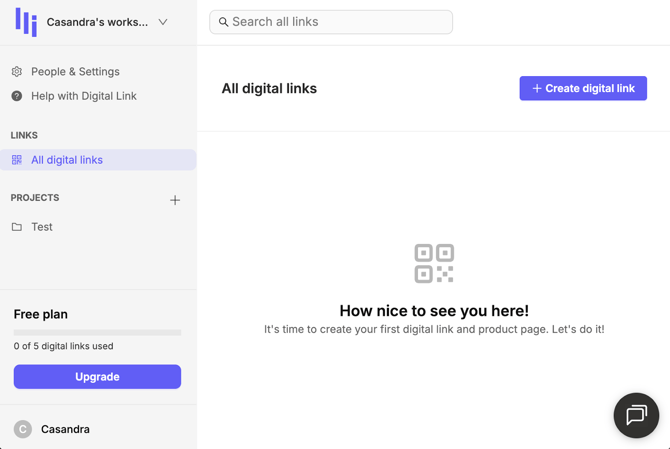
From the main dashboard, click on Create a Digital Link.
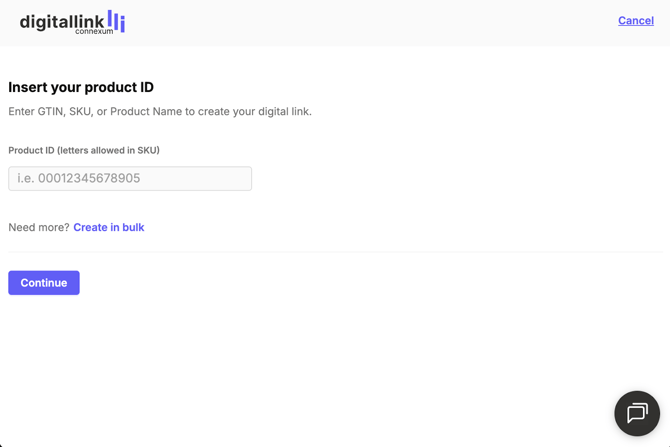
On the Digital Link creation screen, click Create in bulk. This option is designed for generating multiple Digital Links at the same time.
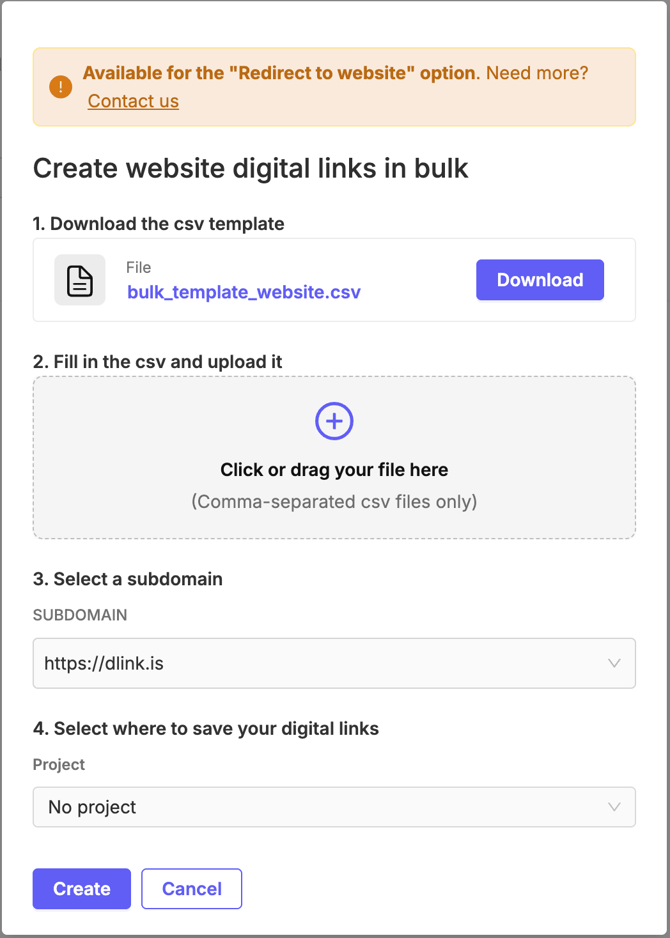
Download the provided CSV template. This file will be used to enter all the product information required to generate your Digital Links. Complete the CSV file with your product data, making sure all required fields are filled in correctly. Once ready, upload the completed CSV file to the platform.
Select the subdomain you want to use for your Digital Links.
- You can use a custom subdomain if you have already set one up, or
- Use the complimentary dlink.is subdomain.
Select the project where the Digital Links will be created.
Note: The project must be created beforehand in order to appear in the list.
Once the process is complete, you will receive an email containing a ZIP file with all your generated QR codes.